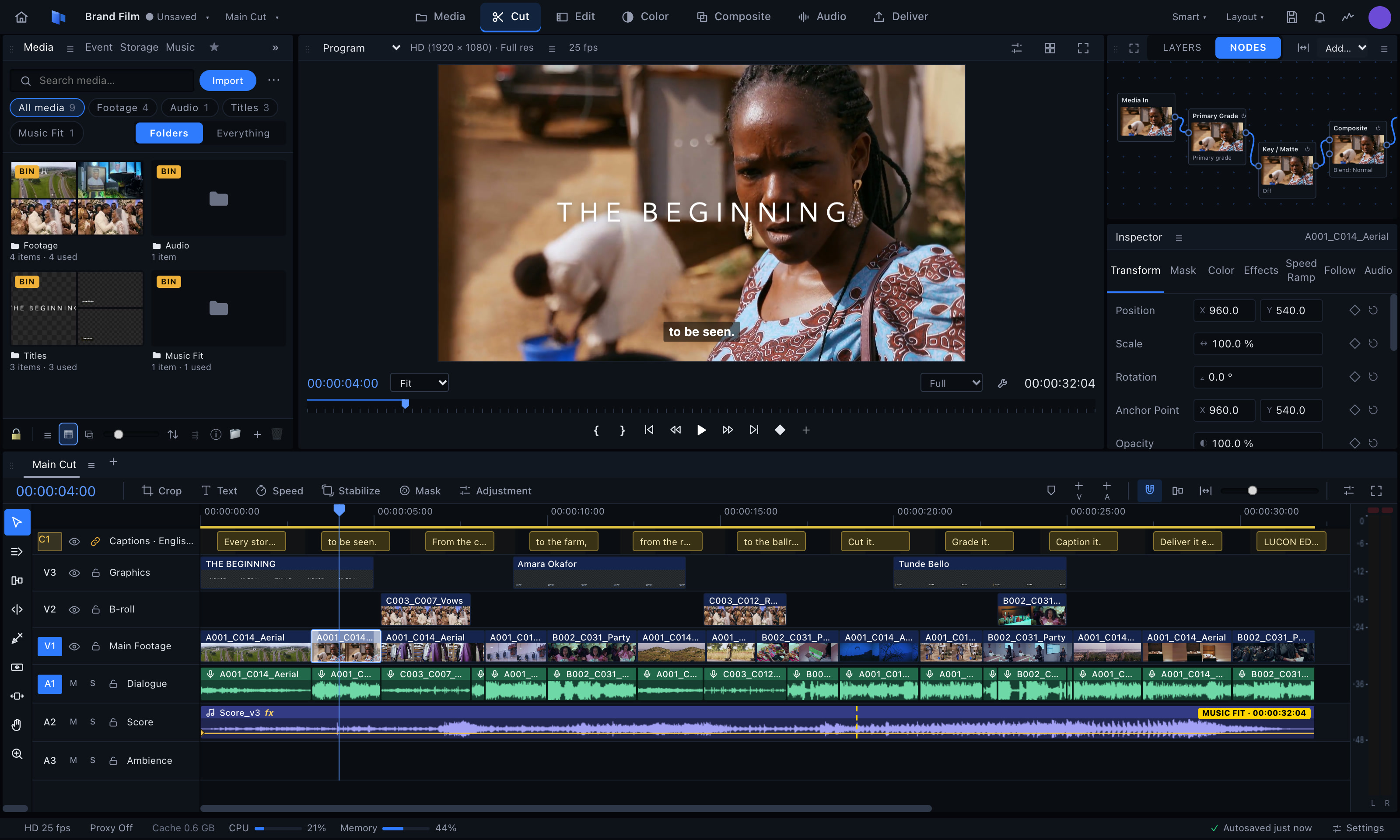
LUCON EDIT finds every face and gives dark skin a rich, even, natural finish: shine tamed, tone evened, the depth of the skin kept. One click, on every clip. Drag across the pictures.
BeforeAfter
Works on parties, interviews, drama and church footage alike, and the export matches what you see. Natural, Polished or Glam, and every slider is yours to set.
BeforeAfter
The Colour page
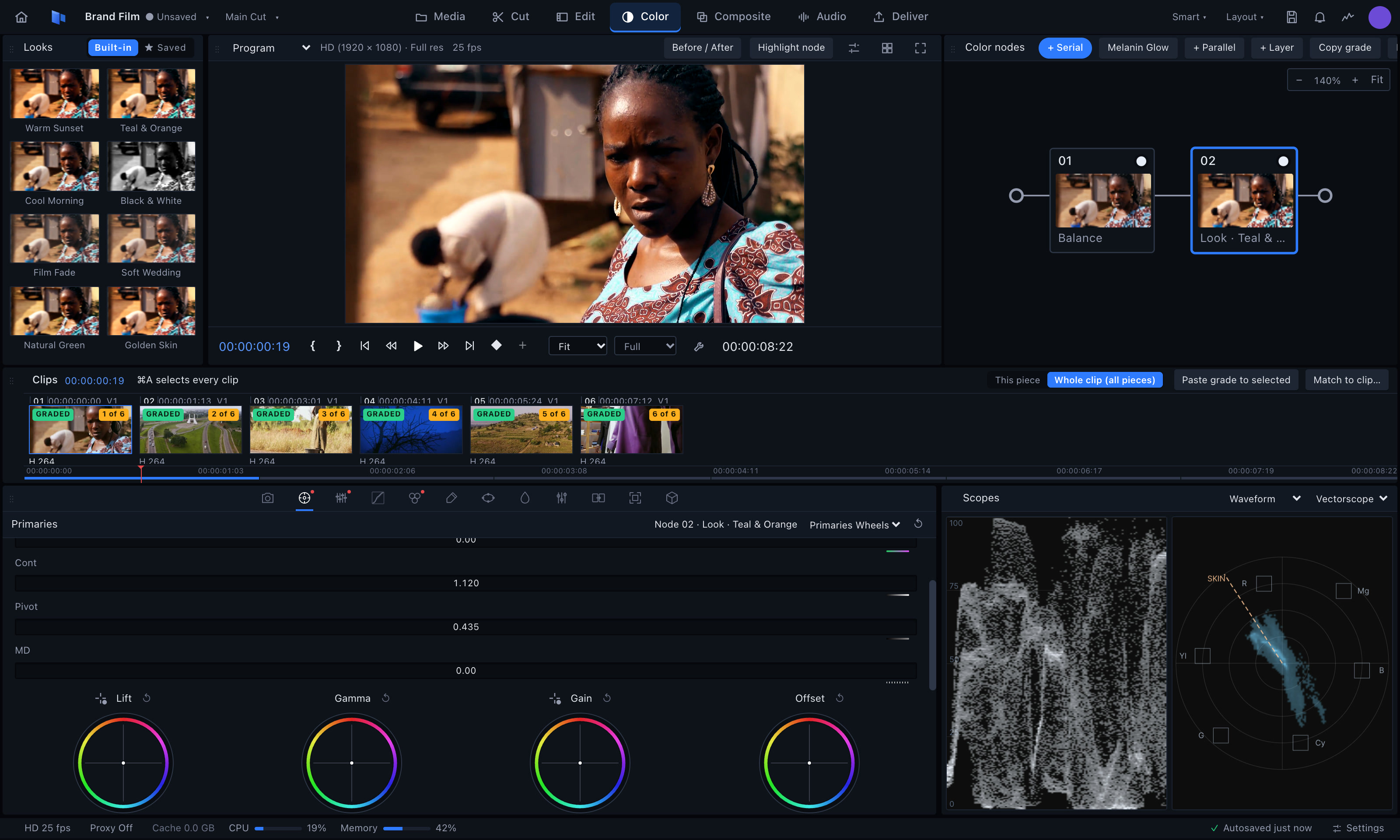
Grading that holds up on the big screen.
For films and commercials, not just filters. Nodes, wheels, curves, qualifiers, power windows, Camera RAW and log, LUTs, chart match, scopes and HDR delivery.
One grade, the whole film.
Pick a look, shape it with the wheels, then paste it on every clip in one go. Drag across the picture to see the grade on and off.
BeforeGraded
Captions and titles
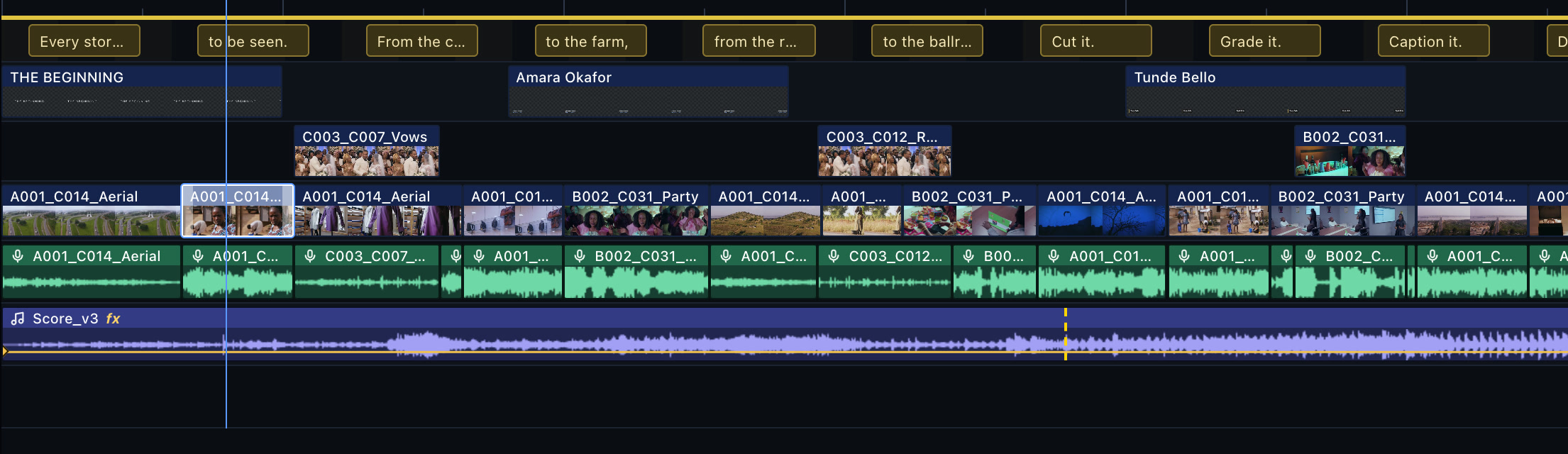
Words on screen, in minutes.
Automatic captions from speech, in more than one language, on their own track above the timeline. Style them, time them word by word, burn them in or export subtitle files. Lower thirds and kinetic titles in one click.
Export for every platform
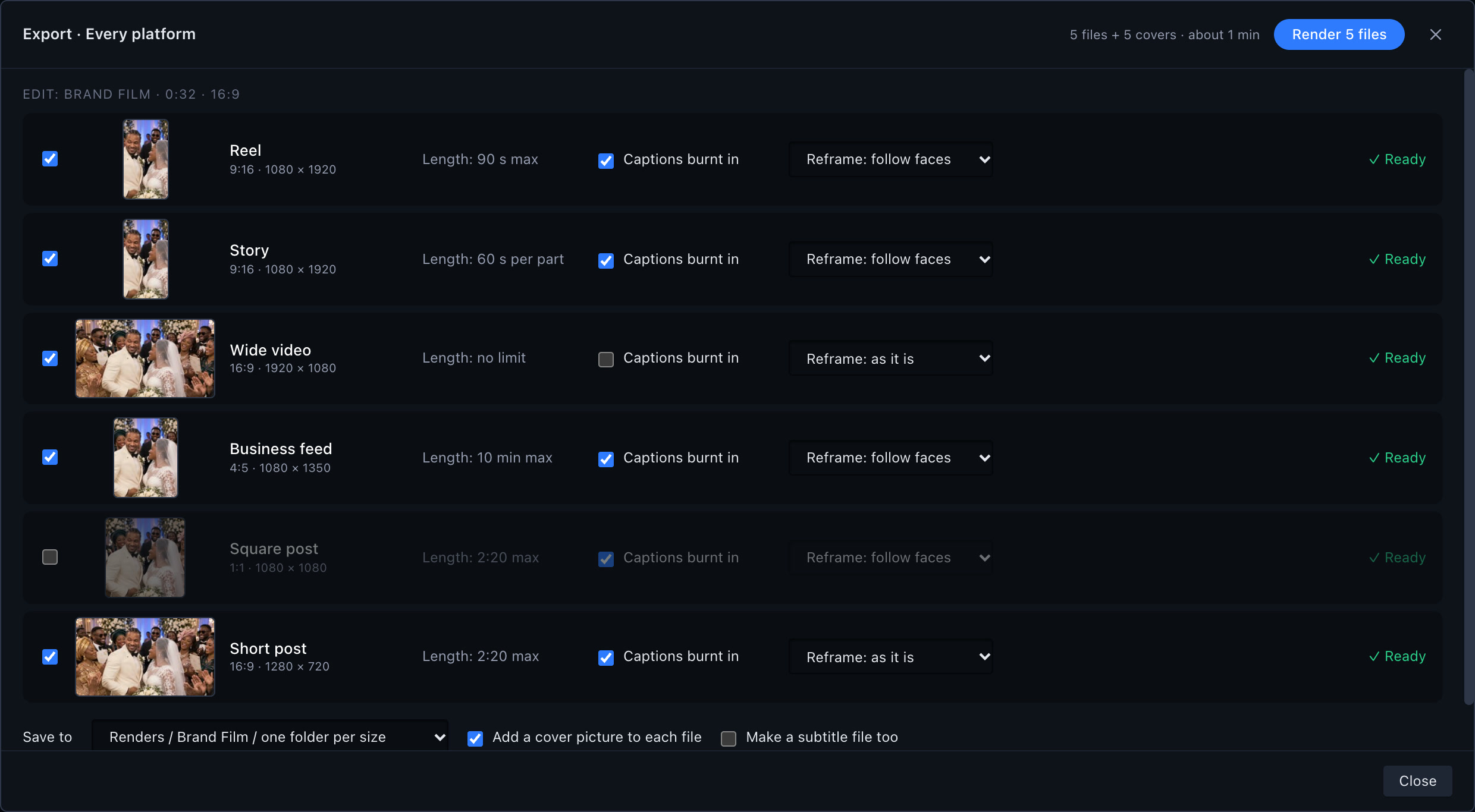
One edit. Every screen.
Reel, story, wide video, feed, square and short post in one go, each in its own size and length, with captions burnt in and the picture reframed to follow the faces. Cover pictures and subtitle files too.
Everything a working editor needs
And things no other editor does for our skin and our music.
✨
Melanin GlowFinds every face and gives dark skin a rich, even, natural finish. Never lighter, never plastic.
🥁
Cut to the BeatPick a song and your clips: LUCON EDIT cuts them on the beat for you.
⏱
Speed Ramps20 ready-made ramps: slow-mo, fast, slow-mo, with the sound following.
📱
Export for every platformReel, story, wide, square and feed sizes in one go, with captions.
💬
CaptionsAutomatic captions in more than one language, styled and burnt in.
🎯
Auto Reframe and FollowKeeps faces in the frame for tall video. Follows a person through the shot.
✂️
Remove silencesCuts the pauses and the um, uh and like in one go.
🌀
Reel TransitionsWhip pan, zoom through, light leak, glitch and more, lined up on the beat.
🎬
Multicam, titles and soundMulticam, keyframes, titles and lower thirds, mixing and gentle auto-duck.
Our work
Every kind of story.
Documentary, commercials, fashion, film, aerials and celebrations: work from Lucon House.
Unzip the download and open LUCON EDIT. It uses the free FFmpeg video engine: the first time you open it, the app shows you how to add it in a few minutes. Then choose Start free trial.
Questions
I bought a key. Where do I put it?
Open LUCON EDIT and choose Enter a licence key (or Settings › Licence). Paste the key from your email and press Activate.
Do I need internet to edit?
No. LUCON EDIT checks your licence once every 14 days. Editing on location works offline.
Can I move to a new computer?
Yes. In Settings › Licence, choose Move to another computer, then enter your key on the new one.
What happens when my plan ends?
Your projects still open and still export. Editing waits until you renew.
Will I be charged again automatically?
Never. You renew yourself when you want to, from Settings › Licence in the app.
How do I pay?
By card, bank transfer or USSD through Paystack. Your key is shown straight after paying and emailed to you.